
How to check if a client received an email in ARC
Every email you send a client from ARC is saved on their account, along with when it was delivered and opened. Use this to check whether a client received an invoice, proof, or other email.
Check a client's email history
- In ARC, click Accounts at the top of the page and search for the client.
- Click the account name to open it.
- Scroll down to the History section at the bottom of the page.
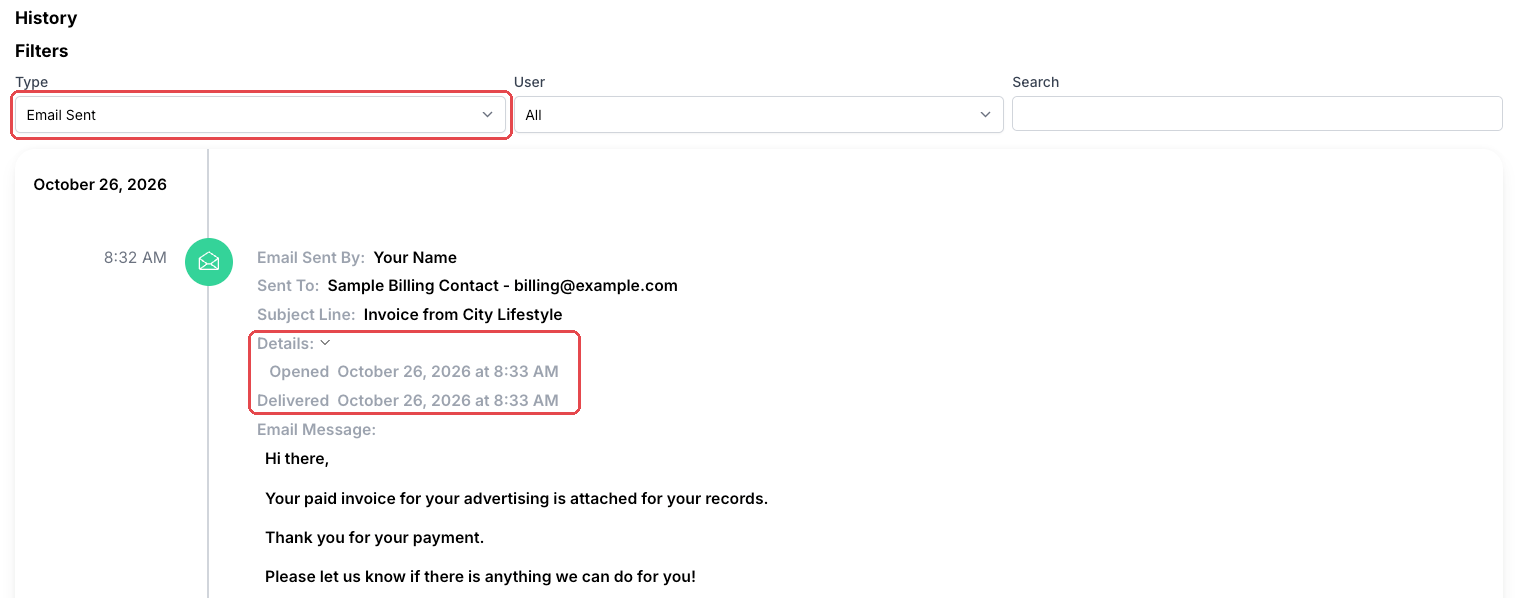
- Set the Type filter to Email Sent.
- Click Details under an email to see when it was Delivered and Opened, along with the full message.
What the results mean
- Delivered and Opened: the client received and opened the email.
- Delivered but not Opened: the email reached the client but may be in their spam or junk folder. See How to make sure your clients receive our emails.
- No Delivered date: check the Sent To address for typos, and confirm the contact's email is correct.
To see emails across all of your accounts at once, use the Email Tracker. See How to Use the Email Tracker in ARC.